Author name: William Cook

William founded Westwave AV to deliver seamless, high-impact audiovisual production for corporate, tech, and nonprofit events across San Francisco. With more than a decade running sound, lighting, staging, and live production, he brings calm under pressure, sharp technical instincts, and a client-first approach to every event — from intimate panels to full-scale conferences.

Transamerica Pyramid in San Francisco at night with vibrant city lights, a potential backdrop for venues for live streaming events
Tips

How to Choose a San Francisco Venue for a Hybrid Event

A venue is ready for a hybrid event when it can support the room and the remote audience at the same time. Before signing, confirm outside-AV rules, upload capacity, a backup connection, camera positions, audio paths, power, rigging, crew access and space for remote-presenter support. Do not rely on a venue brochure or a general claim that the building has Wi-Fi. San Francisco has many rooms that can host a corporate event. Fewer have been checked against the technical plan for the event you are actually running. A ballroom that works for a presentation may still have the wrong camera sightlines, an internet path shared with guests, or contract terms that reserve parts of the AV system for the venue team. 1. Read the venue’s AV contract before choosing the room Ask whether an outside production company is permitted and which services remain exclusive to the venue. The venue may control rigging, power, house sound, internet access or required labor even when an outside team runs the rest of the show. Get the answer in writing. A verbal “outside AV is fine” does not explain patch fees, shadow calls, loading-dock rules or whether the outside crew can connect to installed systems. Our guide to in-house AV versus an outside AV company gives you the questions to ask before the venue agreement is final. 2. Test the upload path, then plan a second one The room needs sustained upload capacity for the encoded feed, not just fast download for attendees. Ask for a dedicated hardline and whether its bandwidth is reserved for your event. Then test it from the position where the stream equipment will sit. A hybrid plan should not rest on one connection. Westwave AV has used a bonded router, distributed access points and a separate satellite path on multi-room programs where the remote feed could not depend on the house line alone. That exact backup is not possible at every venue. Mobile reception, roof access and the building’s network rules decide what the second path can be. 3. Walk the camera positions and audience sightlines A camera position that sees the speaker can still block an aisle or sit behind the audience. Walk the room with the stage, lectern, panel seating and screens marked. Confirm where cameras can stand, how cables reach them and whether the back row can still see the content. For conferences, decide whether the room needs a wide shot, speaker close-ups, audience questions or IMAG on the screens. Those decisions affect camera count, operator positions and the space required at front of house. Browse the event camera options only after the room plan is clear. 4. Give the remote audience its own audio path The people in the room hear the loudspeakers. Remote viewers hear the feed from the mixing desk. A camera microphone will carry room noise and reflected sound, so confirm how presenter microphones, playback, remote speakers and audience questions reach the stream mix. Also check where remote presenters return to the room. They may need to appear on the main screens, hear the panel without echo and wait on a separate line until they are cued. That is part of the hybrid show plan, not an internet setting. 5. Confirm power, rigging and crew access separately Power and rigging are different venue questions. A generator can provide power where suitable site power is unavailable. It cannot create a rigging point where the building has none. Ask what can be hung, who must do the work and what drawings or approvals are required. Then walk the loading route. Note dock access, lift dimensions, stairs, door widths, storage and the hours available for load-in, rehearsal and strike. These details may not change every quote, but they can change the equipment and crew plan. 6. Treat every breakout room as its own hybrid room A general session and three remote-enabled breakouts are four audio, display and internet plans. Confirm which rooms run at the same time, which sessions include remote speakers and whether each room needs its own stream or recording. At One Mind Accelerator’s program at Allied Arts Guild, the conference room carried its own Zoom feed while an outside tent had a separate screen and speaker. Several spaces running together required separate equipment paths and one crew plan across the program. The venue name alone would not have produced that list. What to take to the venue walkthrough If you are still comparing locations, start with our broader San Francisco corporate event venue guide. Use this readiness checklist on the final two or three rooms rather than assuming every listed venue can support the same hybrid plan. What to send before a hybrid AV quote Send the venue and room, date, audience size, draft schedule, remote-presenter count and intended platform. If the venue agreement is available, include its AV and internet terms. Those inputs are enough to identify what needs testing before the equipment and crew list is built. Westwave AV runs hybrid event AV in San Francisco and the Bay Area, covering the room and remote-audience feed as one production. Send us the venue and event date to start with a site visit. For budget drivers, read what moves an AV quote in San Francisco.
event lighting
Tips

Event Lighting: Transform Your Corporate AV Event with Powerful Strategies

In today’s fast-paced world, corporate audio-visual (AV) events have become a cornerstone in how brands connect with their audiences. Gone are the days of simple presentations and static displays. Now, it’s all about creating immersive experiences that not only capture attention but also reinforce brand messages. A critical element in achieving this transformation is event lighting. At Westwave AV we recognize the importance of lighting for any event. Let’s shed some light on strategies that can take your corporate event from ordinary to extraordinary. The Illuminating Role of Event Lighting When planning an event, many might think of lighting as just a way to make sure everyone can see. However, it’s so much more than that. Event lighting can completely transform your venue and captivate your audience. Think of it as the mood setter of your event. It’s not just about visibility; it’s about creating a mood, engaging your audience, and even establishing your brand identity. I remember attending an event where the lighting was so perfectly synchronized with the music and visuals, it felt like being in a live movie scene. That’s the power of well-planned event lighting. The Foundation: Strategic Event Lighting Design Every great event starts with a solid plan, and lighting is no different. A strategic event lighting design aligns with your event’s theme and objectives, setting the stage for a memorable experience. Imagine walking into a room where the lighting isn’t just functional but adds layers of visual depth and intrigue. By using a mix of ambient, task, and accent lighting, you can highlight key areas while supporting the overall atmosphere. Let’s break it down a bit more. Ambient lighting is your general room lighting – think of it as the base layer. It ensures everyone can move around comfortably. Task lighting, on the other hand, is more focused. It highlights specific areas like stages or speaker podiums, making sure the focus is where it needs to be. Finally, accent lighting adds those finishing touches, emphasizing branding elements like logos or product displays. It’s like adding a cherry on top of a well-crafted dessert. Dynamic Event Lighting: Keeping the Audience Engaged Imagine your event’s lighting as a dance, moving and shifting in response to the beat of the event. That’s dynamic lighting. It’s like the heartbeat of your event, adjusting in intensity and color to match the emotion of the moment. By using moving lights, color-changing LEDs, and shape projectors, you add an element of surprise that keeps your audience engaged and curious about what’s next. Dynamic event lighting isn’t just about aesthetics, though. When synchronized with audio and visual elements, it creates a cohesive experience that captivates your audience. Imagine a speaker’s words emphasized by a change in lighting, or a musical performance enhanced by synchronized light effects. It’s like magic happening right before your eyes. Intrigued by dynamic lighting? Learn more here about how dynamic lighting control systems enhance the live music experience to parlay that knowledge into your next event! Branding Through Event Lighting Lighting can also be a fantastic tool for reinforcing your brand. Incorporating brand elements into your lighting strategy can leave a lasting impression. Just think of the last big concert or conference you attended. Chances are, the lighting was part of what made the brand stand out. The Impact of Color Psychology Color plays a significant role in how we perceive events. Different colors evoke different emotions, and understanding this can help set the right tone for your event. For instance, warm tones like red, orange, and yellow can create energy and excitement. This makes it perfect for a product launch. On the flip side, cool tones like blue and green promote calmness and trust, ideal for a networking event. By tapping into color psychology, you can influence how your audience feels and interacts with the event. Read this article for a deeper dive into Color Psychology and How Colors Affect Mood & Emotions. Creating Immersive Environments with Projection Lighting Have you ever walked into a room and felt like you were in another world? That’s the magic of projection lighting. By projecting digital images or videos onto surfaces, you can transform your venue into an immersive environment. This technique is particularly effective for conveying branding messages or themes visually. For example, imagine projecting visuals of a new product, highlighting its features in an engaging way. It’s like bringing a catalog to life. Moreover, projection lighting is efficient and customizable. With LED technology, you get energy-efficient solutions that are flexible in design, perfect for any creative idea you might have. Learn more about how Projection Mapping Elevates Your Event here. Essential Event Lighting Strategies To make the most of your corporate AV event, consider these essential event lighting strategies: Balancing Logistics and Creativity When it comes to planning an AV event, it’s all about balancing creativity with logistical considerations. Thoughtful use of technology, like programmable LED fixtures, allows for adaptable lighting schemes that can change with the pace of your event. At the same time, sustainable lighting choices, such as energy-efficient bulbs, help reduce the overall carbon footprint. It’s about creating a fantastic event while being mindful of the environment. Seeking Expert Guidance Sometimes, the best way to turn your ideas into reality is to engage professional lighting designers. Their expertise can make all the difference. They know how to select the right fixtures and execute complex lighting plans seamlessly. Plus, they bring innovative ideas and technical proficiency, tackling challenges head-on to deliver a mesmerizing event experience. Interested in event lighting rentals? Check out our San Francisco Bay Area Lighting Rentals page. Internal Links for Extended Reading: Conclusion In wrapping up, remember that event lighting isn’t just about making sure your audience can see what’s happening; it’s about creating an unforgettable experience. By leveraging powerful lighting strategies, you can elevate your corporate AV event, leaving a lasting impression on attendees. From strategic design to color psychology and technology integration, each element plays a crucial role in making

speaker placement
Tips

The Science of Sound: How Speaker Placement Impacts Audio Quality

Why Speaker Placement Matters for Audio Quality When setting up an event, the quality of your sound system can make or break the experience for your audience. While investing in high-quality speakers is essential, proper speaker placement is just as crucial. Poorly positioned speakers can lead to uneven sound distribution, distortion, and dead zones where attendees struggle to hear clearly. Understanding the science behind speaker placement will help you optimize your audio setup for crystal-clear sound at any event. At Westwave AV, we specialize in delivering professional AV solutions, ensuring that every event benefits from expert speaker placement and high-quality sound. Whether you’re hosting a corporate conference, a wedding, or a large outdoor festival, our team provides tailored solutions to meet your needs. Understanding Sound Waves and Acoustics Sound travels in waves, bouncing off surfaces and interacting with the environment in complex ways. The theater above has exceptional acoustics thanks to its thoughtfully designed shape and high-quality materials, which enhance sound clarity and ensure even distribution throughout the space. Not all venues are designed with acoustics in mind, though. The placement of your speakers plays a crucial role in how these sound waves move, impacting clarity, volume, and overall sound quality. Here are a few key concepts to consider: By understanding these principles, you can position your speakers to maximize clarity and minimize unwanted noise issues. Westwave AV offers professional consultation services to assess venue acoustics and optimize speaker placement for any event. Our experts analyze your event space and implement strategies that enhance sound quality for your audience. Integrating event lighting with audio elements can significantly enhance the overall atmosphere and audience experience. For instance, synchronized lighting changes can emphasize key audio moments, creating a more immersive environment. By aligning lighting cues with audio dynamics, event organizers can craft a cohesive and engaging experience that resonates with attendees. The Best Speaker Placement for Different Event Spaces Every venue has unique acoustics, meaning there is no one-size-fits-all approach to speaker placement. If you’re planning an event, you can simplify event planning with AV rentals. Below are guidelines for different event settings: Speaker Placement for Small Indoor Events For smaller venues such as conference rooms or banquet halls, proper speaker placement ensures even coverage without overwhelming the audience. At Westwave AV, we provide high-quality speaker rentals and expert setup to ensure your small indoor event delivers impeccable sound. We also offer tailored acoustic treatment solutions to mitigate unwanted echo and reverberation. Take a look at our article on how to design a speaker system for corporate events in San Francisco. Speaker Placement for Large Indoor Venues Larger indoor venues, such as ballrooms or conference centers, require careful speaker placement to avoid audio dropouts and ensure balanced coverage. Check out these key considerations for choosing the perfect event venue. Need expert assistance for a large venue setup? Westwave AV has extensive experience in optimizing speaker systems for corporate conferences, concerts, and more. We use advanced audio calibration tools to fine-tune speaker placement and guarantee the best sound performance for your event. Speaker Placement for Outdoor Events Outdoor venues introduce additional challenges, such as wind interference and sound dispersion without walls to contain the audio. Planning an outdoor event? Westwave AV provides top-tier outdoor speaker systems and expert setup services to ensure outstanding audio quality. We conduct thorough on-site assessments to determine the best speaker placement based on environmental factors and crowd dynamics. Advanced Techniques for Speaker Placement Optimization For event planners who want to take speaker placement to the next level, here are some advanced strategies: At Westwave AV, we use industry-leading techniques and state-of-the-art equipment to achieve the perfect speaker placement for any event. Our technicians analyze the event space and implement these strategies to create an immersive audio experience for attendees. Common Speaker Placement Mistakes to Avoid Even the best equipment can sound subpar if speaker placement is incorrect. Here are some mistakes to watch out for: At Westwave AV, we take the guesswork out of speaker placement, ensuring professional and high-quality sound for every event. Conclusion: Optimize Speaker Placement for Superior Audio Proper speaker placement is a science that requires understanding acoustics, venue size, and audience needs. Whether you’re setting up for a small meeting or a large outdoor event, taking the time to position speakers correctly will make a huge difference in sound clarity and coverage. Avoid common mistakes, test your setup, and adjust as needed to ensure an outstanding auditory experience for every attendee. Need microphones to complement your speakers? Check out our guide to wireless microphone systems. For professional AV rentals, expert speaker placement, and seamless event sound solutions, contact Westwave AV today. Let us help you deliver crystal-clear audio for your next event!

wireless microphone
Tips

Wireless Microphone Systems: Pros and Cons for Events

In the vibrant and ever-changing world of event planning, achieving perfect audio can sometimes feel like trying to solve a complex puzzle. Have you ever been to an event where the sound just wasn’t right? It’s frustrating, isn’t it? Well, that’s where wireless microphone systems come in, offering a solution that cuts through the noise, literally and figuratively. These systems have become incredibly popular, and it’s no wonder why. They’ve transformed how we think about sound at events by ditching the tangled mess of cords. But, like every shiny new gadget, they come with their own set of advantages and drawbacks. Let’s take a closer look at the fascinating world of wireless microphones and see if they’re the right fit for your next event. Why a Wireless Microphone? The Pros 1. Elevated Mobility and Flexibility One of the first things you’ll notice with wireless systems is the newfound freedom they provide. Imagine you’re a keynote speaker or a performer-being able to move around freely without being tied to a spot by cables can make a world of difference. You can engage with the audience more effectively, whether you’re pacing across a large stage during a speech or moving through a crowd while performing. This kind of mobility is invaluable and it can be a game-changer, especially in dynamic settings. 2. Reduction of Cable Clutter Remember those times when you almost tripped over a mess of cables on stage? With wireless microphones, those days are mostly behind us. By eliminating cables, you not only reduce hazards but also create a cleaner and more professional-looking stage. This kind of tidiness is not just visually appealing; it simplifies logistics and enhances safety. Cable management should not be overlooked when planning live events. 3. Versatility in Use Wireless microphones come in different styles to suit a variety of needs. Whether it’s a handheld mic for general use, a lavalier mic for a hands-free presentation, or a headset mic for an active performance, there’s something for every situation. This versatility allows you to choose the right tool for the job, ensuring that your audio needs are met, no matter what the event demands. 4. Integration of Advanced Features Modern wireless systems aren’t just about cutting cords; they’re packed with advanced features like encrypted transmissions to keep your audio secure and multiple frequency options to avoid interference. This means you can have more than one wireless microphone operating without any hiccups, which is particularly useful for panel discussions or multi-performer events. Digital Camera World does a deep dive into the features of the best wireless microphones for 2025. 5. Convenient Setup and Ease of Use If you’ve ever been part of setting up an event, you know that time is of the essence. Wireless microphone systems often come with easy and quick setup options, allowing you to get everything running smoothly in no time. 6. Portability for On-the-Go Applications Think about videographers or journalists covering events on the move. Systems like the DJI Mic 2 and Rode Wireless Pro are celebrated for their portability, making them ideal for capturing sound without the hassle of dragging along a bundle of cables. 7. Minimal Physical Constraint The absence of cables not only improves aesthetics but also reduces the risk of tripping hazards, which is a crucial consideration in crowded environments like concerts or seminars. No one wants to be that person who takes a tumble because of a stray cable, right? 8. Compatibility with Modern Technology Many newer wireless microphone models can seamlessly integrate with today’s digital tech, such as computers and soundboards. This compatibility ensures that they’re ready to work with the latest equipment found in most venues, providing even more flexibility. 9. Enhanced Sound Range When properly set up, quality wireless microphone systems can deliver crystal-clear sound across large spaces. This makes them perfect for expansive venues like stadiums or exhibition halls, where clear audio is a must. 10. Professional Aesthetics Let’s face it, appearances matter, especially in high-end events. The lack of wires gives a cleaner, more polished look, aligning perfectly with the sleek visual branding many events aim to achieve. Check out our page on microphone rentals and let us help you out for your next event! Don’t forget, without speakers your microphones won’t be of any use. Potential Pitfalls of Wireless Microphones? The Cons 1. Signal Interference On the flip side, one of the most significant issues with wireless microphone systems is their vulnerability to interference from other devices. Imagine mid-performance, and suddenly there’s a burst of static noise or, even worse, the sound cuts out completely. It can be a nightmare, particularly in environments crowded with electronic signals, requiring careful frequency management. 2. Higher Initial Investments and Running Costs Wireless systems generally come with a higher price tag than their wired counterparts. This includes not just the wireless microphones but also the necessary receivers and transmitters. Plus, ongoing costs for batteries and maintenance need to be considered. Read more here about audio visual budgeting for your event. 3. Technical Complexity and Reliability Challenges While setting up has become easier, managing these systems still requires a certain level of technical know-how. Troubleshooting can be tricky, especially for complex events or for those who are new to the technology. 4. Decreased Sound Quality Potential Although technology has come a long way, some audiophiles still argue that wired systems deliver superior audio fidelity. If you’re hosting an event where sound quality is of utmost importance, this is something to consider. 5. Battery Dependency Relying on batteries means you have to be prepared for frequent changes or recharges. It can be a bit nerve-wracking to worry about a wireless microphone dying in the middle of an event, so having backups and a strategic plan in place is essential. 6. Range Limitations Every wireless system has a maximum range, and going beyond it can result in signal dropouts. For large or spread-out venues, planning the placement of receivers carefully is crucial to maintain sound quality. 7.

multi-camera live stream
Tips

Master The Multi-Camera Live Stream: A Step-by-Step Guide

Welcome to the world of the multi-camera live stream, where captivating your audience is just a few clicks and a bit of creativity away. Imagine offering viewers multiple perspectives, like watching a live concert from the front row or a sports game from every angle. It’s all about creating dynamic and engaging content that stands out in our digital age. In this guide, I’m going to walk you through everything you need to set up a multi-camera live stream, from planning to the final broadcast. Whether you’re streaming a business seminar, a music concert, or an educational workshop, these steps will help you captivate your audience and make your live streams unforgettable. Planning Your Multi-Camera Live Stream Setup Every successful project starts with good planning. It’s like drawing a treasure map before setting off on an adventure. You need to know where you’re headed and what you’ll need along the way. So, let’s lay down the groundwork for your multi-camera live stream setup. Identify Event and Audience First things first, you need to know what type of event you’re streaming and who will be watching. Are you broadcasting a live concert, a corporate seminar, or perhaps a thrilling sports event? Knowing your audience is key because it helps you tailor the content to their interests. For instance, a music festival audience might appreciate artistic camera angles and close-ups of the performers, while a business seminar might require more straightforward and clear shots. Understand the Venue Next up is getting to know your venue like the back of your hand. Walk around and note the lighting conditions, electricity, and Wi-Fi strength. This knowledge will help you avoid technical issues during the stream. For example, if the venue has limited power outlets, you might need extra extension cords or power banks. If the Wi-Fi is spotty, a backup internet connection, like a mobile hotspot, could save the day. Equipment For Multi-Camera Live Stream Now that you have a plan, it’s time to think about the tools you’ll need. Investing in quality equipment is essential for a professional-looking multi-camera live stream. Here’s a breakdown of what you’ll need: Cameras Audio Equipment Great visuals need great audio to match. Imagine watching a beautiful video but struggling to hear what’s being said. It would be frustrating, right? So, invest in external microphones like boom or lavalier mics. They’re great for capturing clear sound. A good mixer will also help you manage multiple audio sources seamlessly. If you need microphone rentals, check us out! Tripods and Stabilizers Stability is key. No one likes watching shaky footage. Use tripods or gimbals to keep your cameras steady, especially if you’re capturing static or handheld shots. It’s like giving your camera a comfy chair to sit on while it works. Lighting Lighting can make or break your video quality. Ever tried taking a photo in a dimly lit room? It’s challenging to get the details just right. So, use softboxes or LED panels to ensure your subjects are well-lit and your video is vibrant and clear. Setting Up Equipment for Multi-Camera Live Stream With your gear ready, it’s time to set it all up. Strategic camera placement can keep your viewers engaged with varied, dynamic shots. Camera Placement Use the Rule of Thirds to create visually appealing compositions. This technique involves dividing the frame into a grid and placing your subject along these lines or at their intersections. Mixing close-ups with wide angles provides comprehensive coverage of your event. Remember to keep each camera’s settings consistent, like white balance and exposure, to ensure smooth transitions during editing. Connectivity Connecting your cameras to a central video switcher is crucial for seamless transitions. You can choose HDMI for affordability or SDI for reliability, especially over longer distances. It’s like choosing between a well-trodden path and a scenic route; both have their benefits. Mastering the Switcher The video switcher is the heart of your multi-camera setup. It’s what allows you to move smoothly between different camera feeds, making your live stream look professional and polished. Popular Switchers Planning an event and feeling overwhelmed? Read our post on 10 ways AV rentals simplify event planning. Selecting the Right Streaming Software Choosing the right broadcasting software is like picking the perfect tool for a job. It can significantly impact the quality of your stream. Recommended Software Ensure your chosen software is compatible with your setup and can handle the integration of multiple video sources and media. This compatibility ensures a smooth streaming experience without technical hiccups. Testing and Going Live Testing your setup is crucial. Think of it as a dress rehearsal before the big performance. You wouldn’t want to miss a beat on show day, right? Here’s a detailed checklist to ensure everything runs smoothly: Once you’ve completed testing, keep an eye on your multi-camera live stream during the event. This proactive approach helps you quickly address any unexpected issues. A seamless multi-camera live stream is just one of the ways to boost remote attendee engagement at your next hybrid event. Post-Event Evaluation and Content Repurposing After the event, it’s time for a bit of reflection. Reviewing your stream allows you to identify areas for improvement. Gathering feedback from your team and viewers can help you enhance future broadcasts. Consider repurposing your multi-camera live stream content. Captured footage can be edited into a highlight video, extending your event’s reach beyond the live stream. Not only does this maximize your content, but it also provides additional value to your audience. Additional Tips for a Successful Multi-Camera Live Stream Here are some extra tips to take your multi-camera live stream setup to the next level: Conclusion Setting up a successful multi-camera live stream might seem daunting at first, but with careful planning and the right equipment, it’s not only achievable but also incredibly rewarding. Your seamless, engaging broadcasts will captivate your audience, fostering engagement and enhancing the value of your content. Remember, while technology is a fantastic ally, creativity and flexibility are your best

av rentals event planning
Tips

10 Ways AV Rentals Simplify Event Planning

Let’s explore ten ways AV rentals can make your event planning journey not just manageable, but downright enjoyable because planning an event is no walk in the park. Whether you’re organizing a cozy office meeting or a grand conference with hundreds of attendees, there are a million details to juggle. And right at the center of it all is the audio-visual (AV) equipment. This tech is like the heartbeat of any successful event, ensuring everything from presentations to performances run smoothly. Table of Contents 1. Expert Consultation and Planning Navigating the AV landscape can feel a bit like trying to find your way through a dense forest without a map. Luckily, AV rental companies act like experienced guides. They’ve been through this forest many times and know just what you need. When you tap into their expertise, they help you pick the right gear for your event. Is it a rockin’ concert that needs powerful sound systems, or a seminar that requires crisp projectors? They take the technical load off your shoulders, leaving you free to focus on the bigger picture. Do you want some guidance on choosing the right AV equipment for your next event? Check out our audio visual rental services. 2. Comprehensive Equipment Inventory Imagine a store where you can find everything you need for your event. That’s exactly what AV rental companies offer. They provide a one-stop-shop experience, stocking everything from top-notch microphones and booming speakers to cutting-edge projectors and lighting setups. This approach means you won’t have to play the vendor-hopping game, saving you time and headaches. Plus, when all your equipment comes from the same place, you can be sure it will all work together seamlessly. If you want to dive deeper into the world of AV innovations, take a peek at hot AV trends for the latest trends and technologies. 3. Cost-Effectiveness Buying AV equipment can be as pricey as a new car, and not everyone has that kind of budget. Renting, on the other hand, is a smart financial move. AV rental companies offer flexible packages tailored to your specific event needs, allowing you to allocate your funds wisely without cutting corners on quality. For events that only happen once, renting also means you won’t have to worry about long-term expenses like maintenance and storage. 4. Technical Support Ever been to an event where the microphone screeched or the projector refused to cooperate? It’s not fun. But with AV rentals, you get a safety net. Most companies include technical support teams that handle the setup and ensure everything runs like clockwork. They’re the superheroes who swoop in if anything goes wrong, so you can focus on wowing your audience instead of wrestling with cables. Part of what makes a great AV partner is providing technical support throughout your event. 5. Flexibility and Scalability Events are like living creatures—they can change size and shape at any moment. AV rentals are designed to be as flexible as a gymnast, adapting to whatever your event throws their way. Need to switch venues at the last minute or accommodate more guests than expected? No problem. Rental services can scale up or down to meet your needs with ease. 6. Innovation and Latest Technology Access The world of AV tech moves faster than a cheetah on a sugar rush. Keeping up with the latest gadgets can be exhausting and expensive if you choose to buy. Renting, however, gives you access to the newest technology without the hefty price tag. Whether it’s interactive displays or virtual reality experiences, AV rental companies let you wow your audience with cutting-edge solutions, turning your event into a truly immersive experience. 7. Logistical Efficiency Getting all your AV gear to the event, setting it up, and then breaking it down afterward can feel like moving an entire house in a day. AV rentals take this logistical load off your plate. These companies handle everything from delivery to dismantling, freeing you up to focus on other important elements of your event. It’s like having a team of roadies, without needing to join a rock band. 8. Risk Mitigation There’s nothing like a tech failure to rain on your event’s parade. Fortunately, AV rental companies have your back with risk mitigation strategies. They provide backup equipment and ensure a rapid response in case something goes wrong. This proactive approach keeps your event running smoothly, without any hiccups that could throw things off course. You can further migigate risk when you book your event AV early. 9. Professional Staffing As events get more complex, the demands on the planners multiply. AV rental packages often come with professional staffing, ensuring that experienced technicians are on hand throughout your event. From adjusting the lighting to managing the sound system, these experts ensure everything is spot-on, making your event look and feel top-notch. 10. Sustainability and Environmental Impact Renting AV equipment isn’t just good for your wallet—it’s good for the planet too. By choosing to rent, you reduce the demand for new products, encouraging reuse and supporting sustainable practices. This eco-friendly choice helps cut down on waste and aligns with green initiatives, making you a planet hero in your own right. Conclusion The advantages of AV rentals go way beyond simply providing equipment. They offer a streamlined, efficient, and professional approach to event planning that’s both cost-effective and environmentally friendly. By leveraging top-notch technology, expert consultation, and a wide array of services, you can ensure your event is not just successful but unforgettable. Incorporating AV rentals into your planning strategy simplifies logistics and enhances the overall quality and engagement of your event. Read here in the benefits of external AV support. Whether you’re gearing up for a small business meeting or planning a large-scale conference, AV rentals provide you with the tools you need to shine, ensuring your event meets and exceeds expectations. By understanding and using these ten advantages, you equip yourself with the knowledge and tools to pull off flawless events. AV rentals become an indispensable

The Ultimate Guide to Corporate Event Venues in San Francisco
Tips

San Francisco Corporate Event Venues: AV Planning Guide

San Francisco corporate venue planning San Francisco Corporate Event Venues: AV Questions to Ask Before You Book Use this guide to compare access, house-provider rules, power, rigging, internet, rehearsal time and room overlap before the AV quote is final. Compare the venuesOpen the planning workbook How to use this guide This is not a ranking of the “best” venues. It separates current public venue rules, completed Westwave work and questions that still require the venue’s answer. Policies change, so confirm them directly before signing or quoting. Fast shortlist Ten venues, compared by what is known Public policy links were rechecked on 11 September 2026. “Completed work” means Westwave has a first-party project record; it does not mean the venue endorses Westwave or lists the company as a preferred provider. Venue Current evidence Confirm before the quote San Francisco City Hall City Hall requires clients to use its qualified-vendor lists. It publishes an audio and visual category and says new-vendor applications open annually in July. Whether the current approved list covers the planned service, and which operating and insurance documents apply. City View at Metreon The current preferred-vendor page lists four Audio + Visual providers. It does not publish an application route. Whether outside AV is allowed, who approves it and which building services must be ordered separately. Fort Mason Center The venue publishes Audio / Visual / Lighting providers, a separate rigging supplier and a network provider. Electrical service is labeled exclusive. The building and room, load-in window, power order, rigging approval and network scope. Hiller Aviation Museum The official private-events section publishes preferred-vendor and enhancements pages. Current AV scope must be confirmed with the museum. What basic AV is included, whether a full outside production crew is permitted and what access hours apply. Allied Arts Guild Westwave completed a six-space One Mind program with three rooms live at once and a 500-person investor summit. Which spaces are booked, where production can work and which current venue rules apply. SHACK15 Westwave’s internal project record documents two completed events, including LED-wall use and one full-production event. The room, access window, network route, sound limits and current venue contact. Saint Joseph’s Arts Society Westwave’s project record documents completed event production work. No current public AV-vendor list was verified. Camera and audio positions, network access, load-in route and the current venue approval process. Berkeley City Club Westwave’s project record documents completed work and a warm referral path. No current public AV list was verified. The room used, access limits, current house services and whether the completed event may be named. Moscone Center Projection is the preferred AV provider and the only authorized operator of the permanent house sound system. Moscone says another AV supplier may provide a stand-alone sound system subject to venue rules. House-exclusive scope, union roles, the house head, approved floor plans, production schedule, rigging and facility internet. Exploratorium The official planning hub links a floor plan, event policies and a preferred-vendor list. The current documents’ AV, sound, rigging, filming, internet and outside-provider requirements. What changes the quote Ask these questions before choosing the room 01 How does equipment reach the room? Ask for the loading location, vehicle rules, freight-elevator dimensions, dock schedule, path to the room, parking and who controls access. 02 Which services are mandatory? Separate preferred suppliers from exclusive services. Confirm house AV, sound-system operation, union labor, electrical, internet, rigging and house-head requirements in writing. 03 What can be rigged or powered? Request current rigging points, weight and approval rules, ceiling restrictions, available circuits and the route for ordering additional power. 04 What internet is actually available? Ask who provides the connection, whether dedicated service can be ordered, where handoffs land and when the line can be tested under event conditions. 05 How much production time is in the contract? Price load-in, setup, rehearsal, show and strike against the hours the venue grants. A short setup window changes the crew plan even when the equipment stays the same. 06 Which rooms run together? Mark simultaneous sessions, shared foyers, interview rooms and overflow spaces. Confirm whether audio, video or internet must pass between them. Venue notes Public rules and completed work are different kinds of evidence San Francisco City Hall The current City Hall page states that clients must use qualified vendors for all services and provides a downloadable audio and visual list. It also states that the application process opens annually in July. The page does not establish that Westwave is currently qualified. Check the live list and application documents with the City Hall Events Office. Read the current City Hall vendor policy City View at Metreon The current preferred-vendor page names four Audio + Visual providers. It does not say the list is exclusive and does not publish a route for another provider to apply. Ask whether outside AV is permitted and which services still need venue approval. View the preferred-vendor page Fort Mason Center Fort Mason publishes separate entries for Audio / Visual / Lighting, internet networking and rigging. Electrical and greening providers are marked exclusive on the page; AV is not. That distinction does not remove the need for room-specific approval. Confirm the building, power order, load-in and rigging route. View Fort Mason’s provider page Hiller Aviation Museum Hiller’s private-events section currently links preferred-vendor and enhancements pages. The available page surface is not enough to claim a full outside-AV policy. Ask what is included, what can be supplemented and whether a full outside crew is allowed. Open Hiller’s preferred-vendor page Moscone Center Moscone publishes detailed production, floor-plan, rigging, union, freight, electrical and house-sound guidance. Projection is the preferred AV provider and the only authorized operator of the permanent sound system. Moscone also states that another AV supplier may bring a stand-alone audio system. That still requires coordination with venue rules, labor and the approved production schedule. Read Moscone’s production guidance Exploratorium The planning hub currently links the floor plan, event policies and preferred-vendor list. Those documents, rather than a third-party venue summary, should govern

how much power do you need for av events
Tips

How Much Power Do You Need? A Complete Guide for AV Events

Power planning for electricity at an AV event production can feel like trying to solve a giant puzzle. There are so many pieces to fit together, and one of the trickiest bits is figuring out just how much power you need. After all, no one wants to deal with the embarrassment of lights flickering or sound cutting out midway through an important event! So, how do you make sure everything runs smoothly without a hitch? Have you ever asked yourself, “How much power do you need for av events” Let’s dive into the world of watts and volts and get your next big event fully powered up! Understanding Electricity for AV Events When it comes to producing an AV event, power is really the backbone of everything. It’s the unsung hero that keeps the lights bright, the speakers booming, and the screens dazzling. But how do you know how much power you actually need? Key Components of AV Power Requirements Let’s break it down into the main elements that demand power during an AV event: Understanding each component’s power needs is just the starting point. Creating an Equipment Power Inventory Before calculating your power needs, you’ll want to make a detailed list of all the equipment. Here’s how to create a comprehensive inventory: Technical Specifics for Electricity at a Venue Once you know your needs, it’s crucial to check if the venue can handle the load. Understanding the technical specifics of electricity at your event venue is crucial for a successful AV production. Here’s a breakdown of the key components and considerations: 1. Power Phases Most venues will have either single-phase or three-phase power available. 2. Circuit Breakers and Outlets 3. Amperage Amperage (amps) refers to the amount of current the circuit can handle. A typical 120V outlet supports 15-20 amps. Multiply voltage by amperage to calculate wattage capacity (e.g., 120V . 20A = 2,400W). Be sure to factor in the total power draw of all connected devices. 4. Grounding and Safety Proper grounding is essential to avoid electrical hazards. Ensure that the venue’s electrical system includes a reliable grounding mechanism. Using Uninterruptible Power Supplies (UPS) for critical equipment can also provide temporary power and protection during outages or surges. 5. Generators for Outdoor or Low-Power Venues If your venue lacks sufficient power, portable generators are a viable option. When using generators, ensure they are rated to meet your total power requirements and that fuel supply and ventilation are adequately planned. Look here for advice on choosing a generator that’s appropriate for your venue. 6. Technical Consultation Before the event, coordinate with the venue’s technical team or bring in an AV power specialist to assess the electrical infrastructure. This includes evaluating the number of circuits, available amperage, and breaker configurations to ensure your setup can be supported. For more detailed advice, you can lean on Westwave AV for audio visual rental services in San Francisco, and leave the heavy lifting to us! By thoroughly understanding and planning for these technical specifics, you’ll minimize the risk of power issues and keep your AV production running smoothly. Power Planning Strategies Once you have a handle on your equipment and venue capabilities, it’s time for some strategic planning to ensure everything goes off without a hitch. Here are some advanced strategies to enhance your power setup: Power Distribution Plan A well-thought-out power distribution plan can proactively prevent any disasters: Venue Considerations Every venue is unique, so tailor your power approach to the specific characteristics of the location: Continuous Monitoring During the event, continuous monitoring of power distribution helps mitigate risks. Set up a team dedicated to overseeing operations and addressing any anomalies promptly. The Importance of Power Planning for a Seamless Execution Whether it’s a corporate presentation, concert, or wedding, seamless AV execution is vital. A smooth flow can greatly enhance the audience’s experience and satisfaction. It’s important to determine how much power do you need for an AV event. Lighting for the Perfect Ambiance Lighting can significantly affect the atmosphere of an event. It often involves several components: Sustaining Audio Quality Sound quality is non-negotiable. Here’s why: Ensuring Visual Components Run Smoothly Visuals are a huge draw at any event. Maintaining their consistency is key: Final Thoughts The mantra for a successful AV event can be summed up as: “Preparation is key.” From understanding power requirements to ensuring seamless execution, these interconnected processes guarantee a memorable event for all the right reasons. Thanks for reading our article on how much power do you need for AV events. With the proper planning and expertise, you can illuminate your audience with a flawless AV production that radiates professional finesse. More Information By embracing these strategies and ensuring a robust installation, you’re not just promising power – you’re promising an unforgettable experience. Here’s to electrifying your audience and shining a radiant spotlight on your event! If you are looking for essential AV Tips for Event Planning check out our article. Electricity and power planning for an event is vital, and often best left to professionals to avoid any mishaps, or worse. For more detailed information and services, contact us today to set up a discovery call!

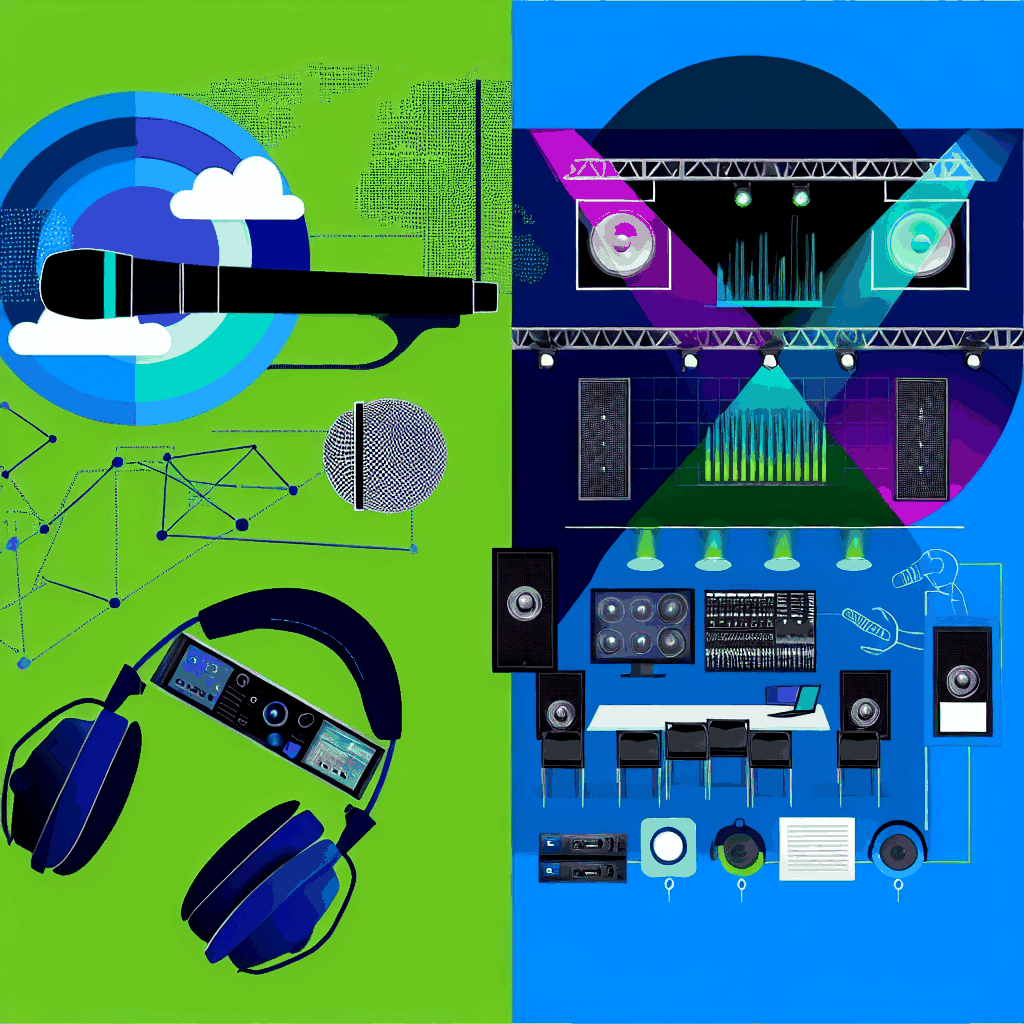
Illustration of event AV equipment: microphone, headphones and a mixing device beside a stage with lighting truss, LED screens, speakers and a control desk.
Tips

Corporate Event AV Planning Guide

Corporate event AV planning guide Corporate Event AV Planning Starts With the Room and Run of Show You do not need to choose microphones, screens or lights first. Start with the venue, audience, program, presenters and deliverables. Those decisions determine the system and crew. Build your event briefPlan the budget The short answer Event AV means the audio, video, lighting, staging, control and technical crew used to make a live program work for the people in the room. For a useful plan, describe what the audience must hear and see, how the program moves, and what must be recorded or sent to remote attendees. Before the equipment list Give the AV team four inputs A room name and a guest count are not a production brief. These four inputs let a production team identify coverage, sightlines, signal paths, labor and the questions that still need an answer. 01 The room Share the floor plan, seating layout, stage position, ceiling height, access route, available power and any house AV or rigging rules. 02 The audience Record the expected room count, remote audience, accessibility needs and whether attendees need to ask questions or appear on camera. 03 The program Provide a draft run of show with sessions, speakers, panels, playback, walk-on music, transitions, breaks and simultaneous rooms. 04 The deliverables List what must leave the room: a remote feed, recordings, presentation files, edited sessions, interview footage or nothing beyond the live show. Planning sequence Resolve dependencies in the order they appear STEP 01 Confirm the venue rules Ask about loading, freight access, power, rigging, house systems, union or house-head requirements, internet ordering and the time available for setup and strike. Use the venue AV guide STEP 02 Map every live room Mark which rooms run at the same time. A main session, breakout and interview room cannot share the same operator simply because they appear on one schedule. STEP 03 Build the content list Collect presentation decks, video files, remote contributors, confidence-monitor needs and any screen content that changes between sessions. STEP 04 Design for the back row Speaker coverage, screen size, camera positions and lighting depend on room shape and sightlines. Test the plan against the least forgiving seat. STEP 05 Name the technical owners Define who owns audio, video, lighting, playback, cameras, the stream and show calling. A supplier list is not a responsibility map. STEP 06 Rehearse the handoffs Test speaker entrances, microphones, playback, slide advances, remote joins and transitions. The value of rehearsal is finding the dependency while there is still time to change it. Plan the technical rehearsal System decisions Match each system to a job in the program Equipment belongs in the plan only after it has a clear job. This table is a briefing aid, not a substitute for room design or an engineering check. System What it must do What changes the design What to test Audio Carry speech, playback and program audio evenly through the room. Room shape, audience layout, panel size, audience questions and remote contributors. Every microphone path, playback level, room coverage and the feed sent to recording or streaming. Video and screens Keep slides, video and live camera images readable from the intended seats. Viewing distance, ambient light, screen position, content format and camera sightlines. Every presentation device, aspect ratio, embedded video, confidence feed and backup playback route. Lighting Light presenters and the room for the audience, cameras and the intended atmosphere. Stage size, ceiling and rigging options, room daylight, scenic elements and camera exposure. Presenter positions, cue changes, camera image and any house-control handoff. Hybrid feed Give remote attendees intelligible program audio and a useful view of the room. Platform, remote speakers, audience interaction, captions, recording and venue connectivity. Primary and backup internet, remote return audio, presentation sharing and the encoded program feed. Show control Keep presenters, playback, lighting and room changes on the same run of show. Session count, simultaneous rooms, cue density, speaker changes and client approvals. Comms, cue ownership, file versions, escalation contacts and the recovery plan. If the plan says “standard AV,” replace it with the audience, room and program requirement. Standard to one hotel ballroom can be unusable in the next. Timing Plan against decision points, not a generic countdown Before the venue contract is final Confirm the room, access, house-service rules, power, rigging, internet and the hours available for load-in, rehearsal and strike. Before quotes are compared Give every bidder the same rooms, program, audience, deliverables and service level. List unknowns rather than letting each company price a different assumption. Compare AV companies Before show day Lock file ownership, presenter requirements, cue responsibility, crew calls, room access and the rehearsal plan. Keep a named route for late changes. Use one event brief with every bidder The workbook covers rooms, program, production requirements, quote comparison and procurement. Unknown fields stay visible instead of turning into hidden assumptions. Download the workbookDownload the PDF Planning in practice Three rooms live at once changes the crew before it changes the equipment Westwave’s One Mind program ran a main session, conference room and outside tent concurrently at Allied Arts Guild. The project record documents six spaces, a 500-person investor summit, a separate Zoom room and redundant event connectivity. The useful planning question was not “which mixer?” It was which spaces were live together, which program feeds crossed between them and who could own each room at the same time. Read the One Mind case study Common questions Corporate event AV planning questions What does AV mean for an event? Audiovisual, or AV, covers the sound, video, displays, projection, lighting, staging, recording, streaming, control systems and technical crew used to run the program. What information does an AV company need for a quote? Start with the venue and rooms, production dates, audience, seating, draft run of show, presenters, playback, remote participants, recording needs, access and the service level you expect. An equipment list can follow. Should the venue be booked before the AV plan? Bring AV into the

top 10 questions to ask before hiring an av company
Tips

Top 10 Questions to Ask Before Hiring an AV Company For Your Event

Enterprise AV buyer guide 10 Questions to Ask Before Hiring an AV Production Company Compare relevant work, technical ownership, venue fit, crew coverage and quote scope before comparing totals. Download the planning packOpen the evaluation workbook Comparable workAsk what the team owned, not only which logo appears. One technical ownerKnow who makes the cross-department decisions. The same showCompare inclusions and exclusions before totals. How to use this guide Start with the room and program Choose the company that can show it has run a room and program like yours, names one person who owns the technical plan, and gives you a quote that covers the same show you asked everyone else to price. An equipment list alone does not answer any of those questions. For a corporate event in San Francisco, the venue belongs in the decision from the start. House AV terms, union roles, loading access, rigging, power and internet can change the plan even when the stage and audience look identical on paper. 01What does the company need to know about your event?02Can it show comparable event work?03Who owns the technical plan?04Does the crew model fit the schedule?05Has the venue agreement been read?06Who owns the room and remote audiences?07Is every company pricing the same show?08What gets tested before show day?09What happens when part of the system fails?10Can the company meet the procurement requirements? Relevant production examples Look for evidence that matches the job A polished reel is not a substitute for the event format, room plan and production responsibilities. Hybrid productionSee the production scope, room and constraints. Multi-room programSee the production scope, room and constraints. Touring eventSee the production scope, room and constraints. QUESTION 01 What does the company need to know about your event? A useful first conversation covers the room, the run of show and the people who have to use the system. Send the venue, date, audience size, room list and draft schedule before asking for microphone or screen quantities. The production company should ask about: the general session and every breakout room; keynotes, panels, audience questions and remote presenters; slides, video playback, image magnification and recording; lighting, staging, scenic and sponsor requirements; access for load-in, rehearsal and strike; who can approve a scope or schedule change. If you already have a room and date, the live-event production overview shows how the production disciplines fit together. For a smaller meeting, the corporate event AV page is the closer starting point. A multi-room program may be closer to Westwave’s conference and trade show production work. QUESTION 02 Can it show comparable event work? A client logo does not prove that the company ran the same kind of event. Ask what the team was responsible for, how many rooms ran at once, what the venue controlled and what changed after the initial plan. The best evidence is specific: a case study naming the event format and production scope; photographs that show the actual room and front-of-house setup; a reference who can speak about planning and show day; an explanation of the constraint the crew had to solve. Westwave AV’s published work includes multi-room, hybrid, touring and venue-takeover examples. Use the same standard with every bidder: compare a conference with a conference, not a highlight reel with a room plan. QUESTION 03 Who owns the technical plan? One person should be accountable for the production plan across audio, video, lighting, staging and the show schedule. That does not mean one person operates every system. It means the planner knows who decides when a cue, room or venue requirement affects several departments. Ask for the role, not a promise that “the team will handle it.” Find out who: signs off the technical design; speaks with the venue; owns the run-of-show changes; leads rehearsal; makes the final technical call on show day. Then ask whether that person is included in the proposal and present at the event. QUESTION 04 Does the crew model fit the schedule? The crew plan should name roles and call times. A general session with an audio lead, video lead, lighting operator and show caller is a different service from equipment delivered to a room with one roaming technician. Compare the proposal with the actual schedule: Who is present for load-in and strike? Who attends rehearsal? Is each active room covered during the program? Can one technician realistically cover two breakout rooms at the same time? When does overtime begin, and what happens if the venue releases the room late? Westwave AV quotes its core show roles as day rates, with overtime after 10 hours. Other companies may use different billing units. The important part is knowing which unit and which hours you are comparing. The San Francisco AV cost guide has the current Westwave planning ranges and crew-rate explanation. QUESTION 05 Has the venue agreement been read? Some venues reserve house sound, rigging, power, internet or labor. Others permit an outside team but add patch, supervision or access charges. Get the answer in writing. Ask the venue: which services are exclusive; whether outside equipment can connect to installed systems; which union, house or shadow roles are required; who orders rigging, power and internet; what insurance and additional-insured documents are required; when the production crew can enter and when the room must be clear. The full decision is covered in the guide to outside AV support versus the venue’s in-house team. Use that page to settle the operating model, then return to this checklist to choose the company. QUESTION 06 Who owns the room and remote audiences? A hybrid event needs a room mix, a remote mix, presenter return paths, a platform plan and a usable internet route. A line saying “streaming included” is not enough. Ask who owns: the remote-presenter technical check; room audio sent to the platform; remote audio returned without echo; camera switching and presentation playback; captions or interpretation when required; the backup connection and the decision to use it; recording and delivery after the event. The hybrid event AV guide covers

Scroll to Top